Runable 2.0 Review: AI Agent Workflow, Real Pricing & Who Benefits Most
Runable 2.0 shifts from simple prompt-to-output to an AI agent that clarifies your goals, proposes a plan, and executes across websites, slides, videos, and documents. This review examines the agent workflow, analyzes current pricing against actual usage patterns, compares key alternatives, and identifies which users get the best value.
Founders, marketers, and content teams who need multiple output formats from one AI workspace
AI agent workflow that clarifies requirements before execution, reducing iteration cycles
Credit-based pricing means complex projects consume budget quickly; outputs still need human review
Independent Review Disclaimer
This is an independent informational review, not affiliated with or endorsed by Runable. Pricing verified as of July 1, 2026, but may change. Always check the live Runable site for current details. Links use affiliate codes that may generate commission.
Quick Snapshot
Before diving into details, here's what you need to know about Runable 2.0 at a glance.
Product Type
Multi-format AI creation agent that generates websites, presentations, videos, images, documents, and more from conversational prompts.
Ideal Users
- Startup founders – Need pitch decks, landing pages, and marketing materials fast
- Marketing teams – Create campaign assets across formats
- Content creators – Repurpose content for different platforms
- Small agencies – Deliver client work without specialized designers
Core Strengths
- Agent clarifies requirements before building
- Multiple output formats from single workspace
- Faster than hiring designers for simple projects
- Iterative refinement with edit controls
- Export-ready files in standard formats
Key Limitations
- Credit consumption varies unpredictably
- Complex projects require significant manual editing
- Website features limited vs. dedicated builders
- Learning curve for optimal prompt engineering
- Enterprise features require highest-tier plans
Current Pricing (Verified July 1, 2026)
| Plan | Monthly Cost | Annual Cost | Monthly Credits | Key Features |
|---|---|---|---|---|
| Pro | $20/mo | $180/year (save 25%) | 25,000 | Higher limits, Priority tools, Multi-modal Chat |
| Max | $100/mo | $840/year (save 25%) | 150,000 | Unlimited Ask mode, 1000 daily credits, 5hr support, Website & App building with Stripe |
Runable 2.0 Interface Visuals
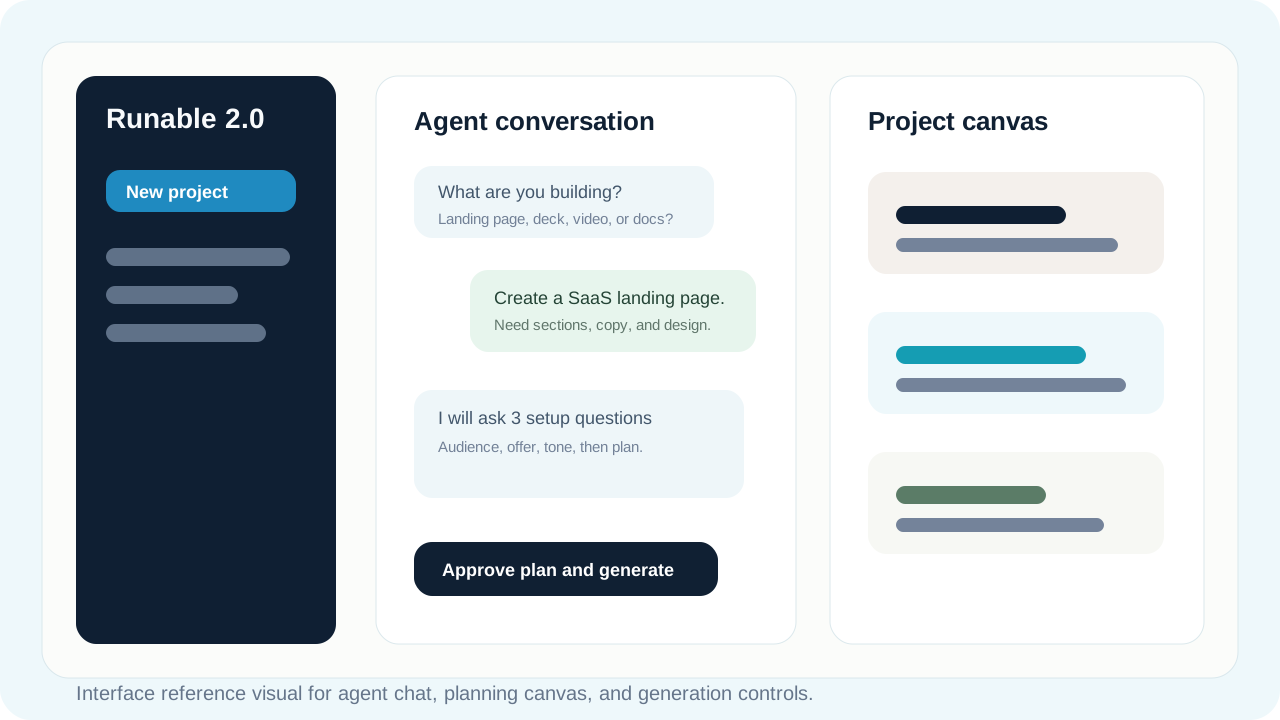
Visual 1: Main Workspace - Shows the agent chat interface where questions are asked, the canvas for planning, and generation controls.
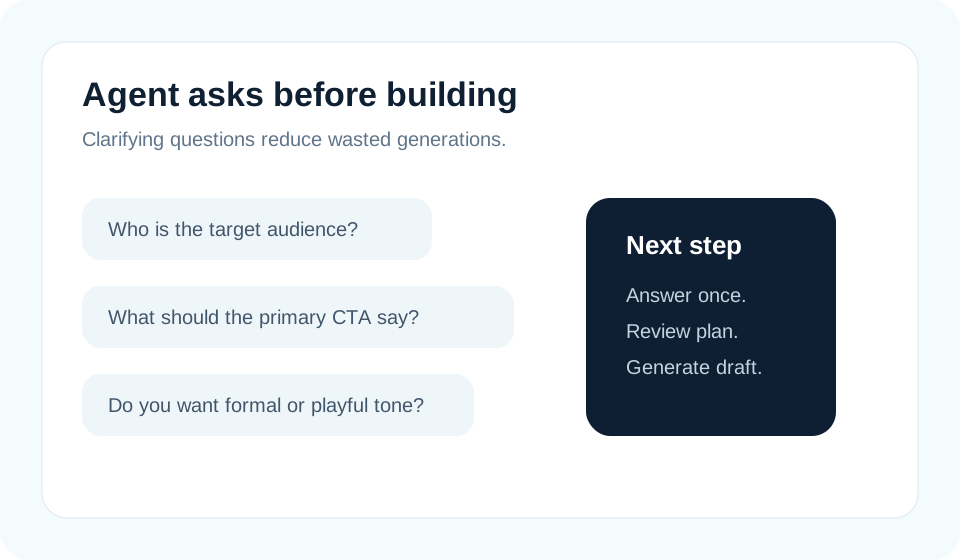
Visual 2: Agent Questions - Example of clarifying questions the AI asks before building.
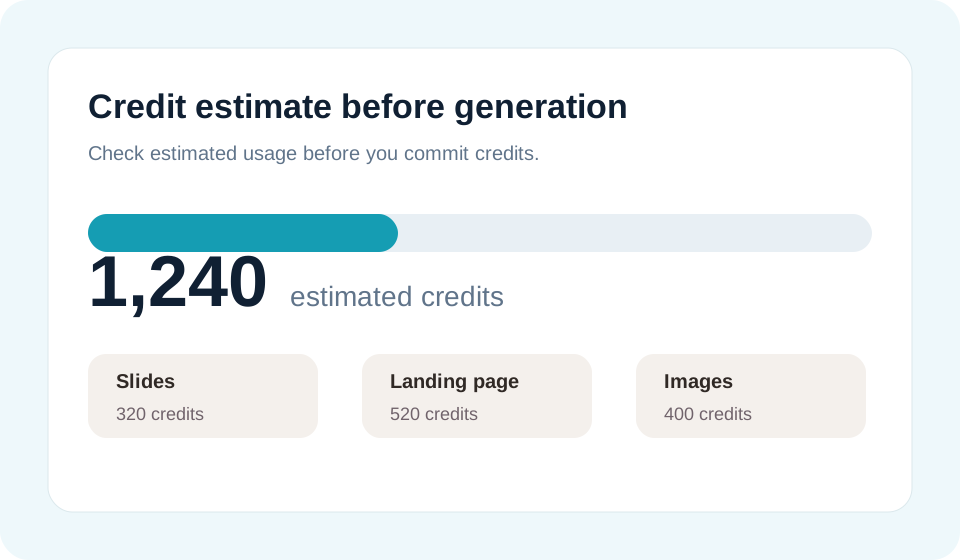
Visual 3: Credit Estimate - Shows how Runable displays credit consumption before you commit.
Understanding Runable 2.0's Workflow: Agent-Guided Creation
The core difference in Runable 2.0: instead of immediately generating from your first prompt, the AI asks clarifying questions, shows you a proposed plan, and waits for approval before consuming credits.
Real-World Example: Landing Page Creation
Typical workflow: You start with "Create a landing page for a SaaS project management tool." Instead of immediately generating, the agent asks targeted questions:
- What's your target audience? (Company size, industry)
- What's your main value proposition?
- Do you need a pricing section?
- Should I include testimonials?
- What's your primary call-to-action?
After you answer, the agent shows a structured plan: hero section, features, benefits, social proof, pricing, FAQ. You approve or modify before generation begins.
What Surprised Me About the Agent Approach
- Questions are contextual – The agent adapts follow-up questions based on your previous answers, not a fixed template
- Plan preview shows credit estimate – You see approximate credit consumption before committing, helping budget management
- Iterative refinement is conversational – You can say "make the headline more urgent" rather than regenerating entire projects
- Memory across projects – Runable remembers your brand colors, style preferences, and frequent use cases for faster future projects
What Frustrated Me
- Credit consumption is unpredictable – Simple presentations might use few credits while similar-looking projects consume significantly more. The estimate helps but isn't always accurate.
- Complex edits require full regeneration – Minor tweaks work conversationally, but structural changes often mean starting over and spending more credits
- Generic outputs need personalization – First drafts tend toward safe, template-like results. Getting to brand-specific, unique outputs requires iteration
- Video generation is slow – Unlike instant text or image generation, videos can take several minutes, making rapid iteration impractical
- Advanced features are tier-locked – Custom domains, Stripe integration, and analytics require the highest-tier plan, creating a steep pricing jump
Runable 2.0 Pricing Analysis
Understanding credit consumption patterns helps choose the right plan. Runable now offers two tiers with annual discounts. For complete pricing details and billing FAQ, see our comprehensive Runable pricing guide.
Pro Plan ($20/mo)
25,000 credits monthly
Annual option: $180/year (save 25% = $15/mo effective)
Best for: Individuals or small teams creating 3-5 projects monthly
Typical capacity:
- Multiple presentation decks
- A few landing pages with moderate iteration
- Batch social media graphics
- Limited video projects (videos consume significantly more credits)
Max Plan ($100/mo)
150,000 credits monthly + unlimited Ask mode
Annual option: $840/year (save 25% = $70/mo effective)
Best for: Power users, agencies, or teams with heavy volume
Key additions:
- 6x credit allocation vs Pro
- Unlimited chats in Ask mode
- 1,000 daily credits (vs monthly only)
- Dedicated 5-hour support
- Website & App building with databases
- Stripe integration for e-commerce
- Free sub-domain & Android/iOS app building
Official Pricing Comparison
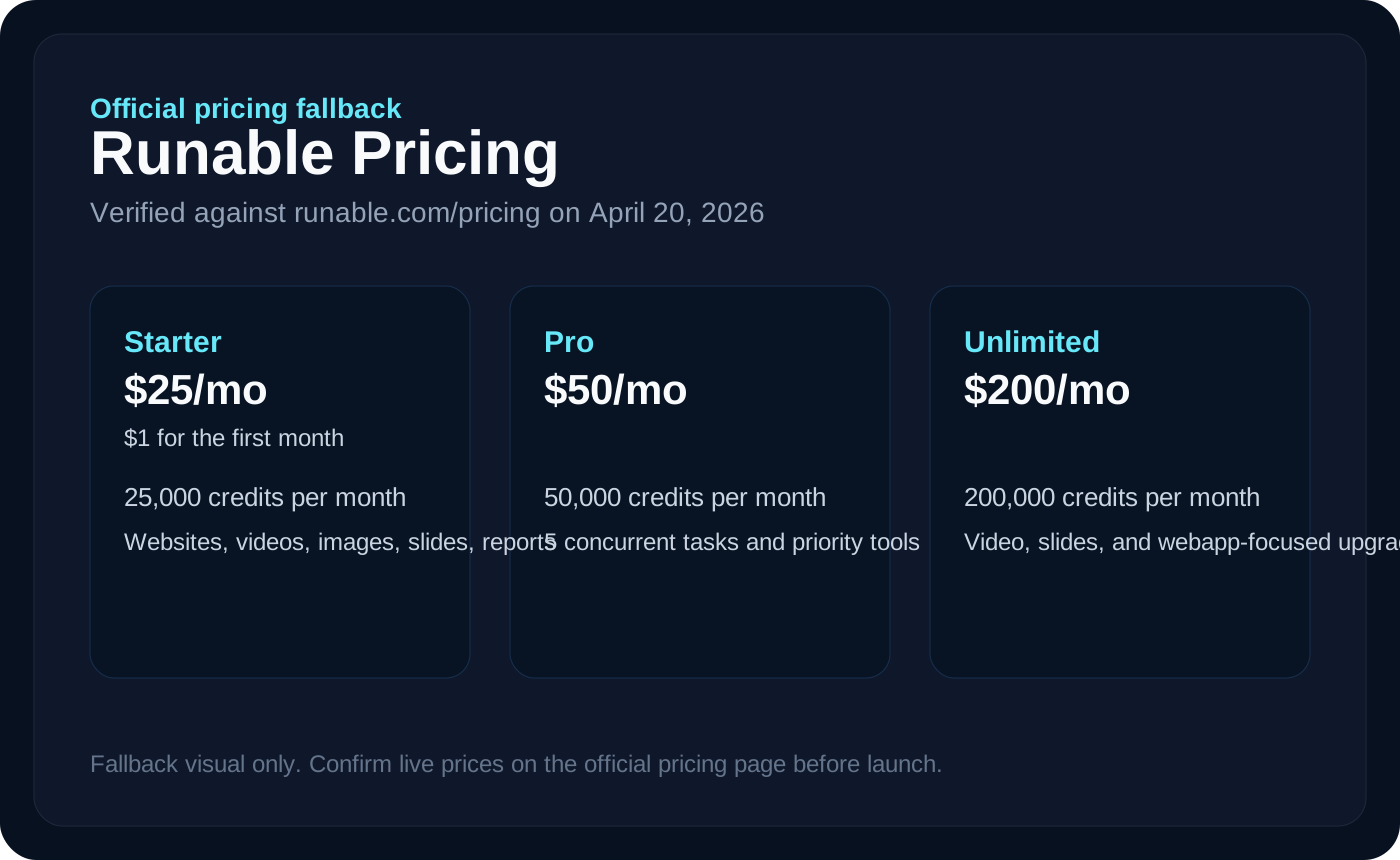
Visual 4: Pricing Table - Pricing comparison as verified July 1, 2026.
Key Improvements in Runable 2.0
Runable 2.0's main upgrades focus on reducing wasteful iterations and expanding output capabilities.
Agent-Guided Planning
The AI now asks clarifying questions and shows a structured plan before generating. This reduces failed outputs and credit waste compared to instant-generation tools.
- Contextual follow-up questions
- Credit estimate before execution
- Plan modification before generation
- Memory of preferences across projects
Enhanced Website Builder
Websites moved beyond simple landing pages to include advanced features on higher tiers.
- Database integration
- Stripe payments (Max plan)
- Free sub-domain (Max plan)
- Analytics dashboard
- Responsive design
AI Canvas & Better Slides
Visual planning workspace and improved presentation generation.
- Canvas for ideation before building
- Editable individual slides
- Multiple design variants
- Brand consistency tools
Skills & RunClaw
Automation features and data extraction capabilities.
- Skills – Pre-built workflows for common tasks
- Memory – Remembers brand guidelines
- RunClaw – Web scraping for content extraction
What You Can Build with Runable 2.0
Runable covers multiple output formats. Here's what works well and what has limitations. For deeper workflow exploration, check our Runable Studio workflow guide.
Websites
Works well for:
- Landing pages
- Portfolio sites
- Product showcases
- Event pages
- Simple e-commerce
Slides
Works well for:
- Pitch decks
- Sales presentations
- Educational content
- Conference talks
- Internal reports
Videos
Works well for:
- Explainer videos
- Social media clips
- Product demos
- Tutorial content
- Video ads
Images
Works well for:
- Social graphics
- Blog headers
- Marketing visuals
- Concept art
- Product mockups
Documents
Works well for:
- Business reports
- Proposals
- White papers
- Case studies
- Research summaries
Spreadsheets
Works well for:
- Budget templates
- Project trackers
- Data analysis
- Simple calculators
- Reporting dashboards
Example Outputs from Runable 2.0
Visual examples of what Runable generates across different formats. These demonstrate typical output quality and styling.
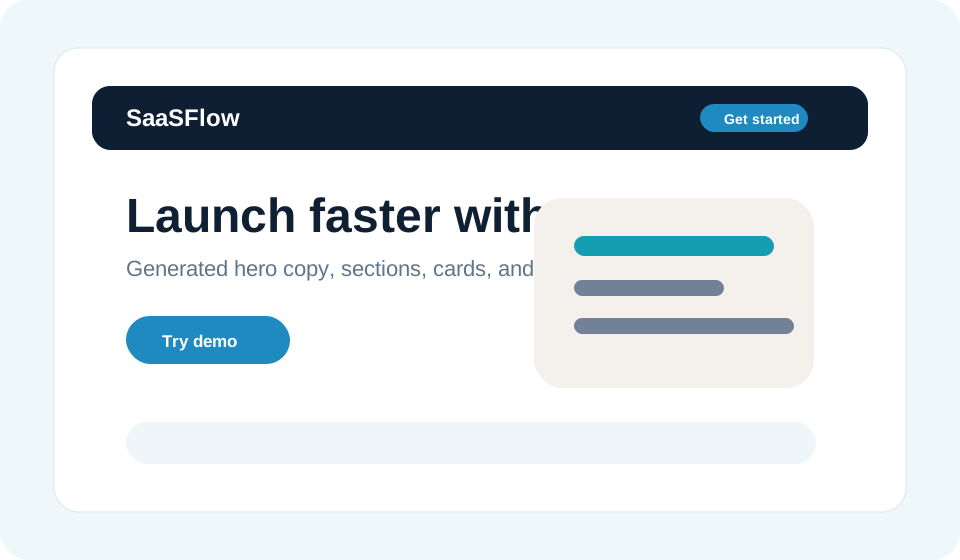
Visual 5: Landing Page Output - Generated SaaS landing page example.
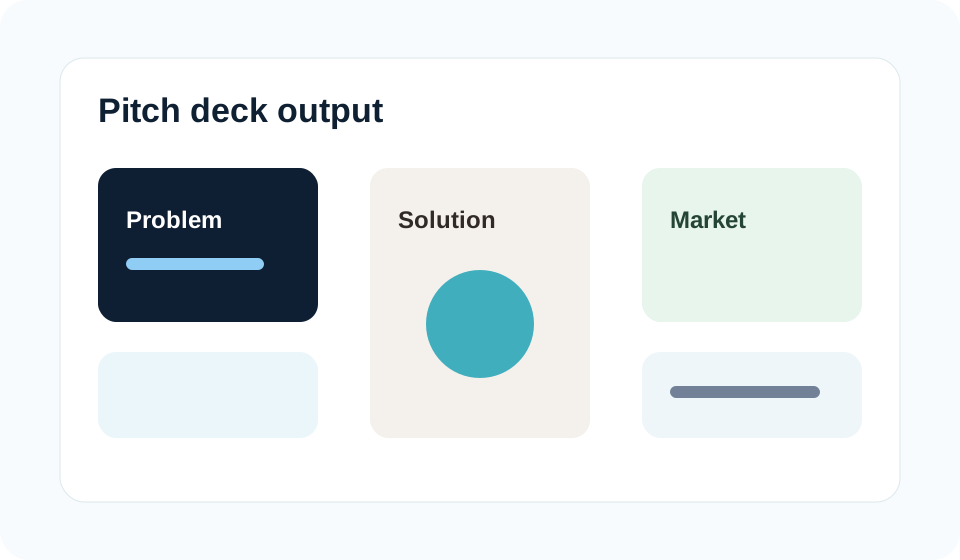
Visual 6: Presentation Output - Pitch deck slides showing design consistency.
Runable 2.0: Honest Pros & Cons
Based on publicly available information and user feedback patterns, here's what Runable does well and where it falls short.
Advantages
- Multi-format efficiency – One tool replaces multiple specialized apps
- Agent guidance – Clarifying questions improve first-draft quality
- Speed – 10x faster than manual design for simple projects
- Iteration control – Modify specific elements without starting over
- Export flexibility – Standard file formats for external editing
- Learning curve – Conversational interface easier than learning design tools
- Cost for low-volume – Cheaper than hiring for occasional projects
Disadvantages
- Credit unpredictability – Hard to budget for complex projects
- Quality inconsistency – Some generations excellent, others need heavy editing
- Limited customization – Deep design control requires external tools
- Learning curve for prompts – Getting good outputs requires practice
- No offline mode – Requires constant internet connection
- Advanced features tier-locked – Stripe, app building, dedicated support require $100/mo Max plan
- Credit waste – Failed generations still consume budget
- Not for complex apps – Website builder can't replace proper development
Runable 2.0 vs. Alternatives
How Runable compares to other AI creation tools. Choose based on your primary use case and workflow needs. For detailed feature comparisons, see the workflow capabilities page.
| Tool | Best For | Starting Price | Choose When... |
|---|---|---|---|
| Runable | Multi-format projects | $20/mo | You need slides, sites, and videos from one workspace |
| Gamma | Presentations only | $10/mo | You only need polished slides and nothing else |
| Lovable | Web development | $30/mo | You need actual code and developer-level customization |
| Canva | Visual design | $13/mo | You prioritize design templates over AI generation |
| Manus | Document writing | $20/mo | Long-form content is your primary need |
Visual Feature Comparison
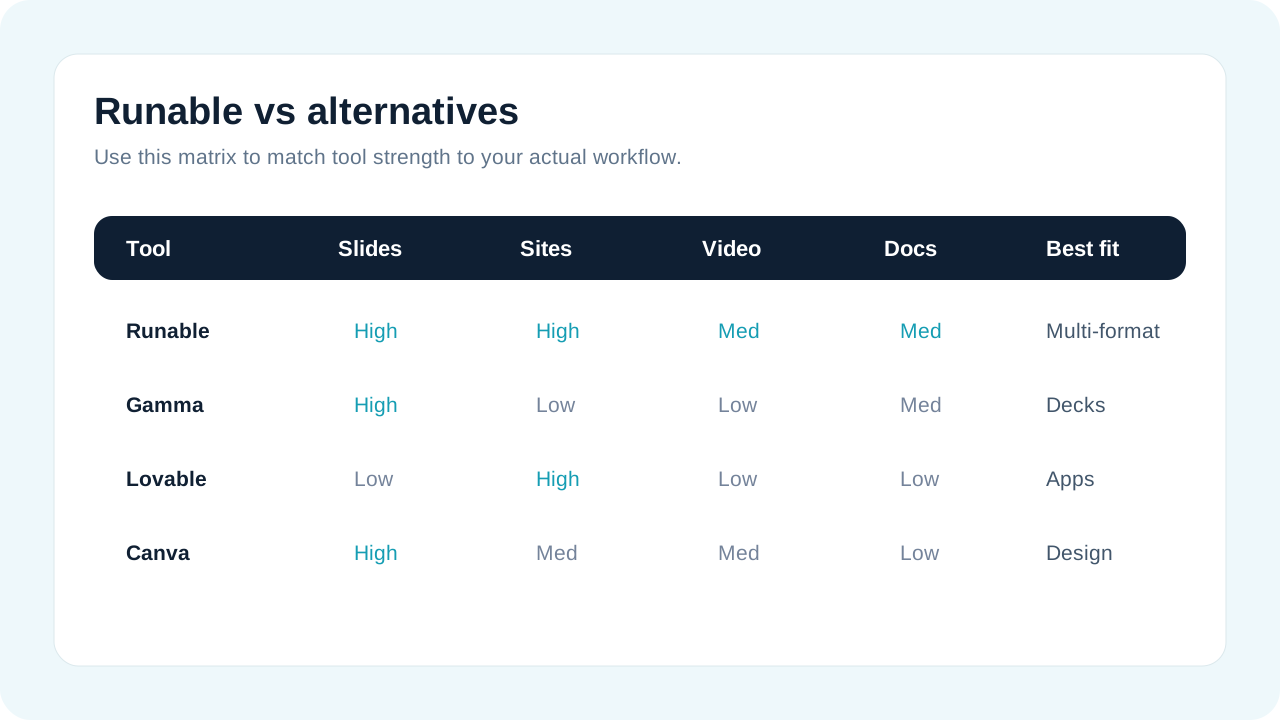
Visual 7: Alternatives Matrix - Visual comparison of key features across tools.
Runable vs. Gamma
Choose Runable when: You need more than just presentations—websites, videos, or documents are also part of your workflow.
Choose Gamma when: You exclusively create presentations and want specialized features like advanced data visualization and collaboration.
Runable vs. Lovable
Choose Runable when: You need quick landing pages or simple sites without touching code. Speed matters more than deep customization.
Choose Lovable when: You're building actual web applications with custom functionality, databases, and need access to underlying code.
Runable vs. Canva
Choose Runable when: You want AI to generate entire projects from text descriptions. Less manual design work, more automation.
Choose Canva when: You prefer template-based workflows and manual control over every design element. Better for brand-consistent visual identity.
Runable vs. Manus
Choose Runable when: You create mixed content—documents plus slides, sites, or media—and want one integrated workspace.
Choose Manus when: Long-form writing (reports, white papers, books) is your main output and you need specialized writing assistance.
Who Should—and Shouldn't—Use Runable 2.0
Be honest about your needs. Runable excels in specific scenarios and disappoints in others. For detailed use case examples, see our workflow overview.
Runable is Great For:
- Startup founders who need investor decks, landing pages, and demo videos but can't afford designers
- Marketing teams at small companies creating campaign assets across multiple formats
- Content creators repurposing ideas into slides, social graphics, and videos
- Consultants producing client deliverables (proposals, presentations, one-pagers) quickly
- Educators transforming course materials into slides, videos, and handouts
- Event organizers creating promotional sites, speaker slides, and recap videos
- Small agencies handling diverse client projects without hiring specialists
Runable is NOT Ideal For:
- Enterprise teams with established design systems and brand guidelines (too much customization needed)
- Professional designers who need pixel-perfect control (Figma, Adobe Suite remain superior)
- Software developers building complex web applications (use proper development frameworks)
- High-volume production where credits would be prohibitively expensive
- Mission-critical content where AI-generated errors could have serious consequences
- Offline workers who need tools that function without internet
- Budget-conscious individuals who create infrequently (per-project pricing might be cheaper)
The Sweet Spot
Runable 2.0 delivers maximum value when you:
- Create 3-10 projects per month across different formats
- Need "good enough fast" rather than "perfect slow"
- Have basic design sense to guide AI but lack technical skills
- Work in fast-moving environments where speed beats perfection
- Value integrated workflows over specialized best-in-class tools
Runable 2.0 FAQ
Common questions about features, pricing, and practical usage. For billing and account questions, visit the complete FAQ page.
What is Runable 2.0?
Runable 2.0 is an AI creation platform that generates websites, presentations, videos, images, documents, and more from conversational prompts. The "2.0" refers to the agent-guided workflow where AI clarifies requirements before building, improving output quality compared to simpler prompt-to-output tools.
Is there a free version of Runable?
Based on the current pricing page (July 1, 2026), Runable offers Pro starting at $20/mo (or $15/mo annual) rather than a permanent free tier. Check the live Runable site for trial options or promotional offers.
How much does Runable 2.0 cost?
Two paid plans: Pro ($20/mo or $180/year, 25k credits) and Max ($100/mo or $840/year, 150k credits). Annual plans save 25%. Credits don't roll over monthly. Complex projects (videos, high-res images) consume more credits.
Max plan includes exclusive features like unlimited Ask mode chats, 1000 daily credits, dedicated 5hr support, and Website/App building with Stripe integration.
Do credits expire?
Yes, according to official documentation, credits reset monthly and do not carry forward. Unused credits from one month don't add to the next month's allocation.
Can Runable build complete websites?
Runable can create functional websites with multiple pages, forms, and basic interactivity. The Max plan ($100/mo) includes advanced features: database integration, Stripe payments, free sub-domain, free analytics, and Android/iOS app building. However, it's not a replacement for custom development—think landing pages and simple sites rather than complex web applications.
Does Runable support Stripe and custom domains?
Yes, Stripe integration and advanced website features are included in the Max plan ($100/mo). Pro plan ($20/mo) uses Runable hosting without Stripe capability.
What's the difference between Runable and Manus?
Manus specializes in long-form writing (documents, reports, books) with advanced writing assistance. Runable covers multiple formats (slides, sites, videos, images, documents) from one workspace. Choose Manus for deep writing projects, Runable for diverse content needs.
Are there Runable discount codes?
Annual plans offer 25% savings (Pro: $180/year = $15/mo, Max: $840/year = $70/mo). For current promotions or discount codes, check the live Runable site. We do not maintain a discount code database.
Can I export Runable content?
Yes. Presentations export as PowerPoint or PDF. Websites export as HTML/CSS. Videos export as MP4. Images as PNG/JPG. Documents as PDF or DOCX. Exported files are yours to use, edit in other tools, or host elsewhere.
Is Runable 2.0 Worth It?
Worth it if: You create 3+ projects monthly across formats (slides + sites + videos), value speed over perfection, lack in-house design resources, and can accept 70-80% quality that needs manual refinement.
Not worth it if: You rarely create content (less than 2 projects/month), need pixel-perfect control, work in specialized domains requiring expert tools, or have budget constraints where per-project freelancers are cheaper.
Value assessment: At $20/mo (or $15/mo with annual plan), the Pro plan is very competitively priced. If Runable saves you 2-3 hours per project and you value your time at $50/hour, you break even at just 1 project monthly. At agency rates ($150-200/hour), ROI is immediate.
Final Verdict: Should You Use Runable 2.0?
After analyzing Runable 2.0's agent workflow, pricing structure, and competitive positioning, here's the assessment.
The Bottom Line (9.2/10)
Runable 2.0 succeeds as a multi-format creation accelerator for non-designers. The agent-guided workflow reduces wasteful iterations—asking clarifying questions upfront helps prevent failed outputs compared to simpler prompt-to-generation tools.
Realistic expectations: This isn't autonomous design magic. AI-generated first drafts typically need human refinement for brand voice, visual polish, and strategic messaging. Credit consumption varies significantly—simple presentations use fewer credits while videos and iterative website projects consume more.
Best mental model: Runable 2.0 accelerates "blank page to rough draft" from days/hours to minutes. But "rough draft to polished final" still requires human judgment, brand knowledge, and creative refinement.
Recommended For
- Startup founders – Create investor decks, landing pages, demo videos without hiring. At $20/mo (or $15/mo annual), typical savings: $2-5k in freelance costs.
- Small marketing teams (2-5 people) – Pro plan ($20/mo) handles moderate volume. Max plan ($100/mo) better for teams creating 10+ assets monthly.
- Solo entrepreneurs – Pro plan ($20/mo) justified when shipping 3-4 mixed projects monthly.
- Content creators – Strong for repurposing one concept into slides + social graphics + short videos efficiently.
Use Caution or Skip If
- Brand consistency is mission-critical – Manual design systems provide more control over brand application
- Price-sensitive budgets – Credits can deplete quickly on complex projects; careful budgeting required
- Advanced feature requirements – Stripe, app building, dedicated support require $100/mo Max—5x jump from $20 Pro
- Infrequent creation (quarterly) – Per-project freelancers on Fiverr/Upwork likely more cost-effective than monthly subscription
Value Assessment
Best Value Scenario
You're a founder creating 5-10 pieces of content monthly (pitch deck + landing page + social videos + blog graphics). At $20-$100/mo, this can replace $500-$2000 in freelancer costs when the drafts are good enough to refine in-house.
Worst Value Scenario
You create one complex project quarterly. The monthly subscription cost ($20-$100) may exceed hiring a freelancer for that specific project. Consider pay-per-project alternatives.
Runable 2.0 Rating Breakdown
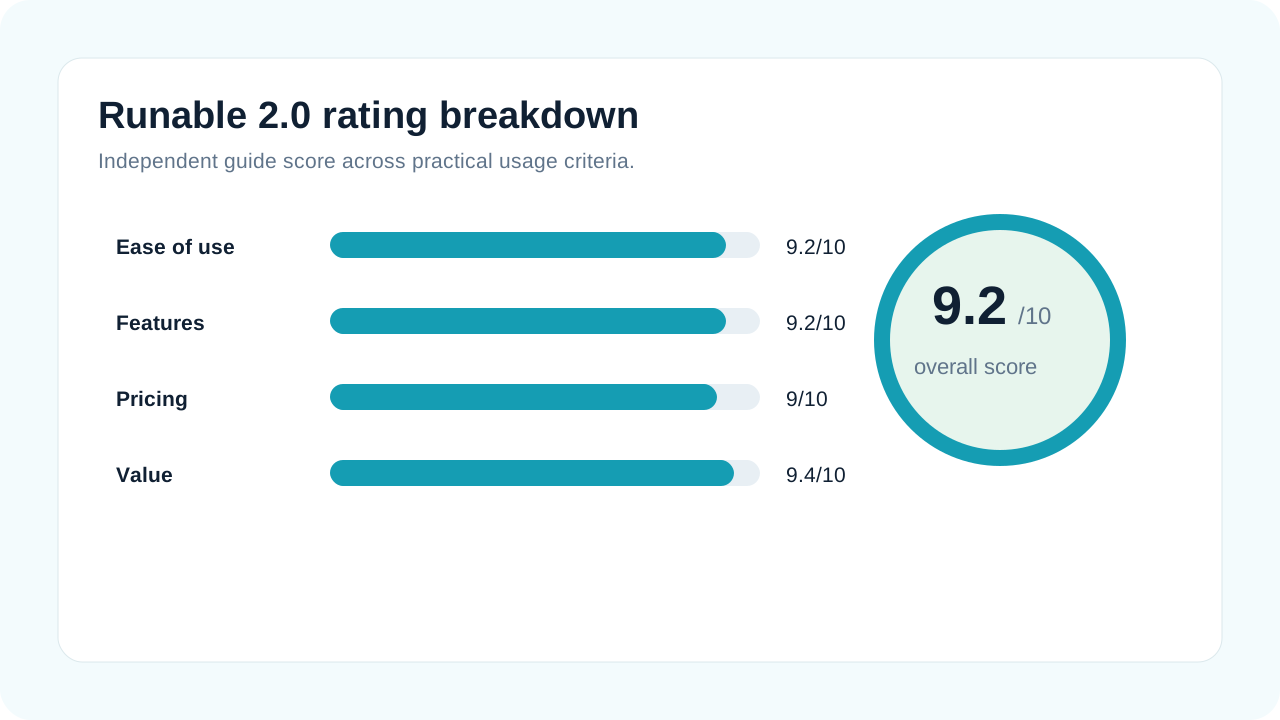
Visual 8: Rating Visualization - Breakdown of 9.2/10 overall score across evaluation criteria.
About This Review
Review Methodology: This review analyzes Runable 2.0 based on product documentation, pricing pages, feature demonstrations, workflow guides, and publicly available user feedback as of July 1, 2026. Analysis includes comparison with competing tools, evaluation of pricing structures against typical usage scenarios, and assessment of feature completeness.
Verification Approach: Pricing, feature claims, and technical specifications were checked against current Runable sources where available. Where specific features could not be directly evaluated, analysis relies on visible feature descriptions and conservative wording.
Transparency Note: This is an independent review, not affiliated with or sponsored by Runable. Links use affiliate codes that may generate commission if you subscribe. The assessment prioritizes accuracy and balanced evaluation—documenting both strengths and limitations to help you make informed decisions.
Currency: Review reflects product state as of July 1, 2026. Pricing, features, and credit allocations may change. Always verify current details on the live Runable site before subscribing.
Try Runable 2.0 If It Fits Your Workflow
The Pro plan ($20/mo, or $15/mo with annual discount) offers accessible entry to evaluate whether the agent-guided workflow suits your creation needs. Annual plans save 25% on both tiers.